

Hinge, Tinder & Bumble Photo Guide + Free Cropper

Dating Profile Photos: Real Examples & App Framing Tool

See what natural dating profile photos look like on Hinge, Tinder, and Bumble, then crop and frame your own shots locally in your browser.

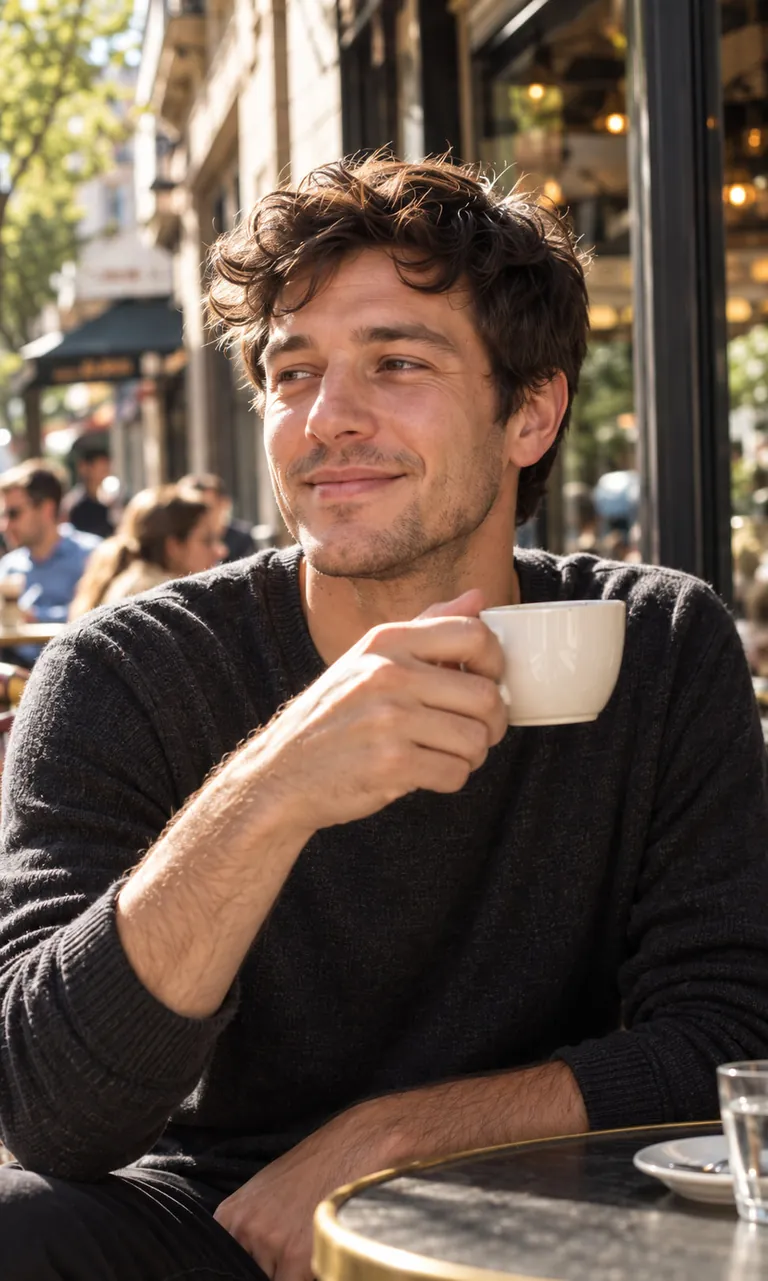
Cafe window light dating profile photo example with warm morning daylight
Slot 1 · Lead Portrait Warm daylight, clear face
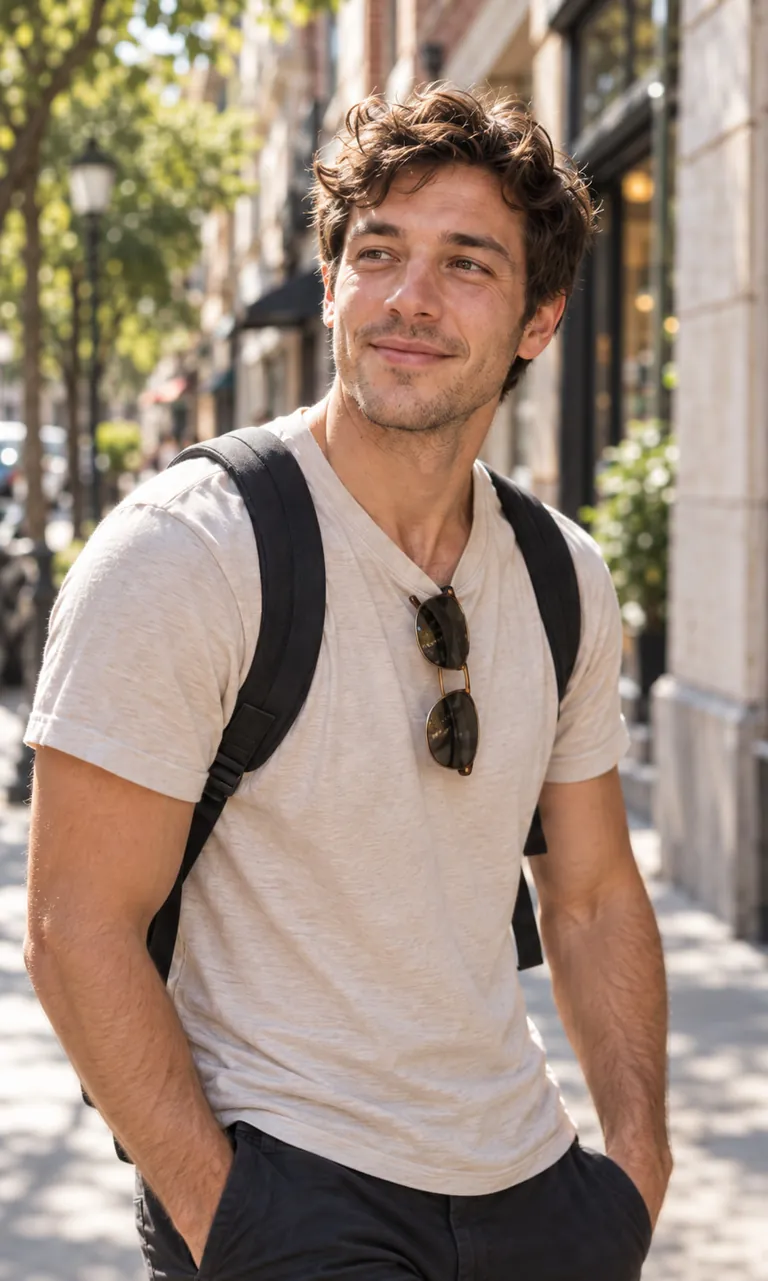
Golden hour city walk dating profile photo example in casual jacket
Slot 2 · Full-Length / Mid Candid stride & style
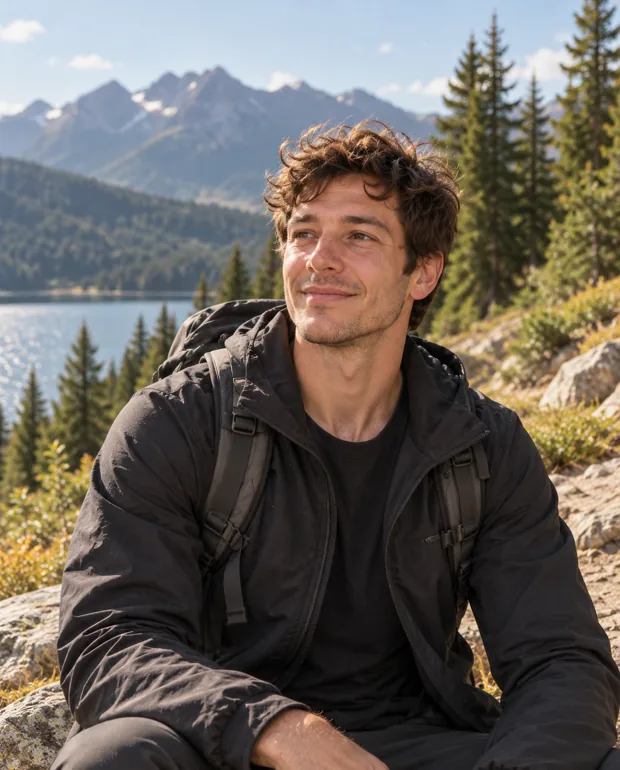
Weekend outdoor park walk dating profile photo example in natural shade
Slot 3 · Lifestyle / Hobby Relaxed weekend context

Strong dating profile photos use soft daylight, eye-level framing, and everyday clothes—never harsh flash or stiff corporate headshots.

01 Upload your photo to frame

All cropping, eye-line alignment, tone previews, and PNG exports run 100% locally in your browser. Your photo never leaves your device.

02 Dating app crop & color tone
03 Compare against daylight style references
Try AI Dating Photos →
4:5 · HINGE & BUMBLE

Live dating photo cropper

Upload your photo on the left or click Try sample selfie to test Hinge 4:5, Tinder 3:4, and Bumble 1:1 framing right in your browser.

Add a photo to check resolution, eye-line placement, and dating app crop fit.

Illustrative Style Lookbook

Dating profile photos examples: natural daylight vs. stiff headshots

Compare these natural 35mm daylight examples against your own camera roll before choosing your lead frame.

Cafe window light dating profile photo example with warm morning daylight
Casual front-facing input selfie example for DatingPFP cropper Input selfie
Example · 01 Cafe Window Light (Lead Portrait)

Illustrative example showing soft window lighting, approachable eye contact, and relaxed everyday wardrobe.

Golden hour city walk portrait example in casual jacket
Example · 02 Golden-Hour City Walk

Warm late-afternoon side light and relaxed street depth for a natural second-slot frame.

Weekend outdoor park walk portrait example in natural shade
Example · 03 Weekend Park Candid

Easygoing outdoor framing that feels like a friend snapped it on a Sunday afternoon.

Quiet window light portrait example at eye level
Example · 04 Quiet Daylight Lead

Clean eye-level portrait with natural skin texture and zero corporate blazer stiffness.

Field-Tested Portrait Rules

Four rules for dating profile photos that feel real

Practical portrait principles gathered from dating photographers and real profile reviews—no gimmicks or empty match promises.

  1. 01

    Lead with an unobstructed eye-level portrait

    Your first photo should show your face clearly at eye level in soft daylight. Skip sunglasses, dim indoor flash, and group shots where viewers have to guess who you are.

  2. 02

    Pass the First Date Rule

    Every shot in your lineup should look like you on a good afternoon. Avoid over-smoothed skin, dramatic studio rim lights, or outfits you would never actually wear on a first date.

  3. 03

    Vary distance, setting, and energy across your lineup

    Combine a strong waist-up lead shot, an outdoor or cafe candid, a relaxed full-body photo, and a genuine hobby moment so your profile tells a complete story across 4 to 6 slots.

  4. 04

    Crop intentionally for Hinge, Tinder, and Bumble

    Dating apps automatically crop wide or tall camera-roll shots, often slicing off headroom or centering your chin. Pre-cropping to 4:5 (Hinge/Bumble) or 3:4 (Tinder) keeps your composition intentional.

App Framing Reference

Dating profile photos sizes & aspect ratios for Hinge, Tinder & Bumble

Match your export frame to each app before uploading so automatic cropping never cuts off your eyes or background context.

Dating App Best Aspect Ratio Export Size Framing Note
Hinge 4:5 portrait 960 × 1200 px Portrait-first feed; keep eyes in the upper third above prompt cards.
Tinder 3:4 portrait 960 × 1280 px Tall swipe cards; leave breathing room at the bottom for bio overlay.
Bumble 4:5 or 1:1 960 × 1200 / 1080 × 1080 px 4:5 fills mobile cards cleanly; 1:1 works well for balanced close-ups.

How to build a believable dating profile photos lineup

Strong dating profile photos work as a short visual story rather than a single posed portrait. When someone scrolls through your Hinge, Tinder, or Bumble profile, they want to picture what meeting you for coffee or a weekend walk actually feels like. A balanced five-photo lineup answers that question quickly without relying on heavy filters or staged studio lighting.

Start with a clear, unobstructed lead shot taken at eye level in soft natural light. Your eyes should be easy to see, sunglasses should stay off, and your shoulders should sit comfortably in the upper two-thirds of the frame. That is why DatingPFP includes a toggleable eye-line guide inside the live browser cropper: keeping your eyes near the upper third prevents app overlays and bio text from covering your face.

Mix one strong lead portrait with candid context

After your lead photo, aim for variety in both setting and camera distance. Follow a close waist-up portrait with a relaxed mid-shot in an everyday environment—such as a cafe window seat or an afternoon street walk—then add at least one full-body frame and one candid hobby or travel moment. If every slot uses the same angle or the same indoor lighting, viewers often assume your pictures are outdated or overly curated. For slot-by-slot visual breakdowns, see our best dating profile photos examples or our dedicated dating profile photos for men guide.

Why candid daylight beats corporate headshots

Many general portrait apps default to LinkedIn-style blazers, uniform grey backdrops, and heavy skin smoothing. On dating apps, that overly polished look immediately feels out of place and triggers skepticism. Natural dating profile photos keep real skin texture, casual wardrobe fabrics like linen, denim, or knitwear, and directional daylight that falls softly across one side of the face.

DatingPFP at a glance: free limits, mobile support, and privacy

Because online photo editors and generative AI portrait tools work differently, here is what DatingPFP offers today:

Feature DatingPFP Browser Cropper & Framing Tool
Price & daily limit 100% free and unlimited uses (no credits needed)
Account / sign-up Not required — open the page and start immediately
Watermark None — clean full-resolution PNG exports (960×1200, 960×1280, 1080×1080)
Mobile compatibility Works in iPhone (iOS Safari, Chrome) & Android (Chrome, Samsung Internet) — no app download
Supported formats JPG, PNG, and WebP (iOS Safari converts HEIC photos automatically when picked)
Photo privacy Runs 100% locally inside your browser; photos are never uploaded to a server

(Note: Optional AI scene generation is separate from the free unlimited browser cropper and is marked "Coming Soon" until enabled.)

Using DatingPFP on iPhone or Android without an app

Open datingpfp.com in Safari or Chrome on iPhone, or Chrome / Samsung Internet on Android. Tap the upload box to pick a single photo from your camera roll (you never need to grant full-library access), choose 4:5 (Hinge/Bumble), 3:4 (Tinder), or 1:1 (Square), align your eyes with the eye-line guide, optionally test a daylight tone, and tap Crop & Download PNG to save a watermark-free image directly to your phone. Need exact pixel specs first? Check our dating app photo size chart.

Common Questions

Dating Profile Photos FAQ

What makes the best dating profile photos for Hinge, Tinder, and Bumble?

Start with an eye-level waist-up portrait in soft daylight where your face is clearly visible without sunglasses, hats, or harsh shadows. Follow it with 3 to 4 varied candid shots—an everyday cafe or street frame, a full-body photo, and a relaxed weekend or hobby moment.

Does DatingPFP work on iPhone (iOS) and Android phones?

Yes. DatingPFP is a web-based tool that works directly in iPhone (Safari, Chrome) and Android (Chrome, Samsung Internet) mobile browsers with no app download required. It accepts JPG, PNG, and WebP files (iOS Safari converts HEIC photos automatically when selected), and you only pick individual photos without granting full photo-library access.

Is DatingPFP free and unlimited, and does it add watermarks?

Yes. The DatingPFP browser cropper, eye-line framing guide, daylight tone preview, and full-resolution PNG exports are 100% free, unlimited, require no sign-up, and add zero watermarks. Separate AI scene generation (currently marked Coming Soon) will be optional and distinct from the permanently free browser cropper.

How many photos can I crop and download for free on DatingPFP?

Unlimited. Because DatingPFP processes cropping, zooming, and PNG export locally inside your browser, there is no daily cap, credit limit, or paywall on how many photos you can frame and download for Hinge, Tinder, or Bumble.

What aspect ratio should I use for dating profile photos?

Hinge and Bumble display portraits best at a 4:5 aspect ratio (such as 960×1200px or 1080×1350px), while Tinder favors a taller 3:4 portrait frame (960×1280px). You can switch between 4:5, 3:4, and 1:1 square crops directly inside the DatingPFP cropper.

Are my photos uploaded or stored when I use the DatingPFP cropper?

All cropping, zooming, tone adjustments, and PNG exports happen entirely inside your browser—your images never leave your device.

How do I keep dating profile photos looking natural and authentic?

Apply the First Date Rule: if someone met you at a coffee shop tomorrow, would they recognize you immediately? Stick to natural daylight, casual everyday clothing, and recent unedited shots rather than heavy beauty filters.

What kind of photo gives the cleanest crop in DatingPFP?

Choose a sharp, front-facing photo (at least 600px on the shortest side) taken in even daylight with a relaxed expression. Avoid heavy beauty filters, dim bar lighting, sunglasses, or group crops where another person's shoulder overlaps your face.